
How to Troubleshoot PTO (Power Take-Off) Issues in Kubota Tractors
Kubota tractors are celebrated for their reliability and versatility in agricultural tasks, making them a favorite among farmers. However, Power Take-Off (PTO) issues can disrupt implement operation, leading to reduced productivity. In this comprehensive, guide, we address a critical question: How do you troubleshoot PTO issues in Kubota tractors? This detailed, step-by-step approach will help you diagnose and resolve PTO problems to keep your Kubota tractor performing at its best. For model-specific guidance, explore the Kubota manuals at Manualskart.com.
What Causes PTO Issues in Kubota Tractors?
PTO issues in Kubota tractors can stem from mechanical failures, hydraulic problems, or electrical faults. Common symptoms include:
- PTO fails to engage or disengage
- Intermittent or weak PTO operation
- Unusual noises, such as grinding or clunking, during PTO use
- Hydraulic fluid leaks around the PTO system
- Dashboard warning lights or PTO-related error codes
Prompt diagnosis is essential to restore functionality and ensure efficient implement operation. For detailed procedures, refer to the Kubota service manuals.
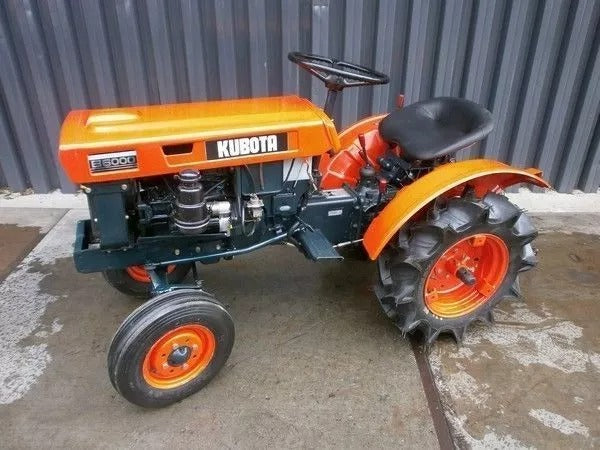
Check Out Related Kubota Tractor Manuals

Step-by-Step Guide to Troubleshooting PTO Issues
Step 1: Check PTO Engagement Mechanism
A faulty engagement mechanism can prevent the PTO from operating correctly. To inspect:
- Verify the PTO clutch lever or switch is functioning properly, as outlined in the Kubota operator’s manual.
- Check the PTO linkage or cable for wear, binding, or improper adjustment.
- Ensure the PTO shaft is properly connected and free of debris or damage.
Adjust or replace worn linkage components using specifications from the Kubota parts manuals.
Step 2: Inspect Hydraulic Fluid Levels and Quality (if applicable)
Many Kubota tractors use hydraulic systems for PTO operation. Low or contaminated fluid can cause issues. To check:
- Locate the hydraulic fluid reservoir using the Kubota operator’s manual.
- Verify the fluid level is within the recommended range.
- Check for contamination (e.g., cloudy fluid, metal particles, or a burnt smell).
If the fluid is low, top it up with the manufacturer-recommended hydraulic oil. If contaminated, drain and replace the fluid, and replace the hydraulic filter. For fluid specifications, consult the Kubota technical manuals.
Step 3: Test the PTO Clutch
A worn or slipping PTO clutch can cause engagement issues. To diagnose:
- Inspect the clutch for wear, glazing, or contamination (e.g., oil or grease), as outlined in the Kubota service manuals.
- Check the clutch adjustment to ensure proper engagement pressure.
- Test the clutch operation by engaging the PTO under load and listening for slipping or unusual noises.
Adjust or replace the clutch using part numbers from the Kubota parts manuals.
Step 4: Inspect the PTO Shaft and Gearbox
Mechanical issues in the PTO shaft or gearbox can hinder operation. To check:
- Inspect the PTO shaft for damage, wear, or improper lubrication.
- Check the PTO gearbox for worn gears, insufficient lubrication, or damage, as described in the Kubota technical manuals.
- Ensure the PTO driveline is properly aligned and free of obstructions.
Lubricate or replace damaged components using specifications from the Kubota parts manuals.
Step 5: Check Hydraulic Components (if applicable)
For hydraulic PTO systems, issues with the hydraulic pump or control valve can cause problems. To diagnose:
- Test the hydraulic pump’s output pressure with a gauge, comparing it to specifications in the Kubota service manuals.
- Inspect the PTO control valve for wear, contamination, or sticking.
- Check hydraulic lines and fittings for leaks or blockages.
Replace faulty components or flush the hydraulic system, following guidelines from the Kubota parts manuals.
Step 6: Inspect Electronic Controls
Modern Kubota tractors may use electronic controls for PTO operation. A faulty sensor or control module can disrupt performance. To diagnose:
- Check for error codes on the tractor’s display or using a diagnostic tool.
- Inspect wiring harnesses and connectors to the PTO control system for damage or corrosion.
- Test sensors (e.g., PTO engagement or pressure sensors) with a multimeter, as outlined in the Kubota service manuals.
Replace faulty electrical components using specifications from the Kubota parts manuals.
Step 7: Test the Tractor
After addressing potential issues, test the tractor to verify the repair:
- Engage the PTO and operate an implement to check for smooth, consistent power delivery.
- Monitor for leaks, noises, or error codes during operation.
- Recheck hydraulic fluid levels (if applicable) and PTO alignment after a test run to ensure stability.
If PTO issues persist, consult a qualified technician and refer to the Kubota service manuals for advanced troubleshooting.
Preventing Future PTO Issues
Preventive maintenance is key to avoiding PTO issues in Kubota tractors. Follow these tips:
- Adhere to the maintenance schedule in the Kubota operator’s manual.
- Regularly lubricate PTO shaft and gearbox components.
- Inspect hydraulic systems and electrical connections during routine maintenance.
- Train operators to engage the PTO smoothly and report issues immediately.
For comprehensive maintenance guides, visit Manualskart.com to access manuals for Kubota and other heavy equipment brands.
Why Choose Manualskart.com for Your Equipment Manuals?
When troubleshooting complex issues like PTO problems, reliable manuals are essential. At Manualskart.com, we offer an extensive collection of service, parts, and operator manuals for leading heavy equipment brands, including:
- AGCO manuals
- Allis Chalmers manuals
- Allison manuals
- Case Construction manuals
- Case IH manuals
- Caterpillar manuals
- Cub Cadet manuals
- Cummins manuals
- Hyundai manuals
- John Deere manuals
- Komatsu manuals
- Mitsubishi manuals
- New Holland CE manuals
- New Holland agriculture manuals
- Perkins manuals
- Volvo manuals
- Yanmar manuals
Explore our complete collection to find the resources you need to maintain and repair your Kubota tractor and other heavy equipment. Visit Manualskart.com today for high-quality, reliable manuals.